
PR Reviewer
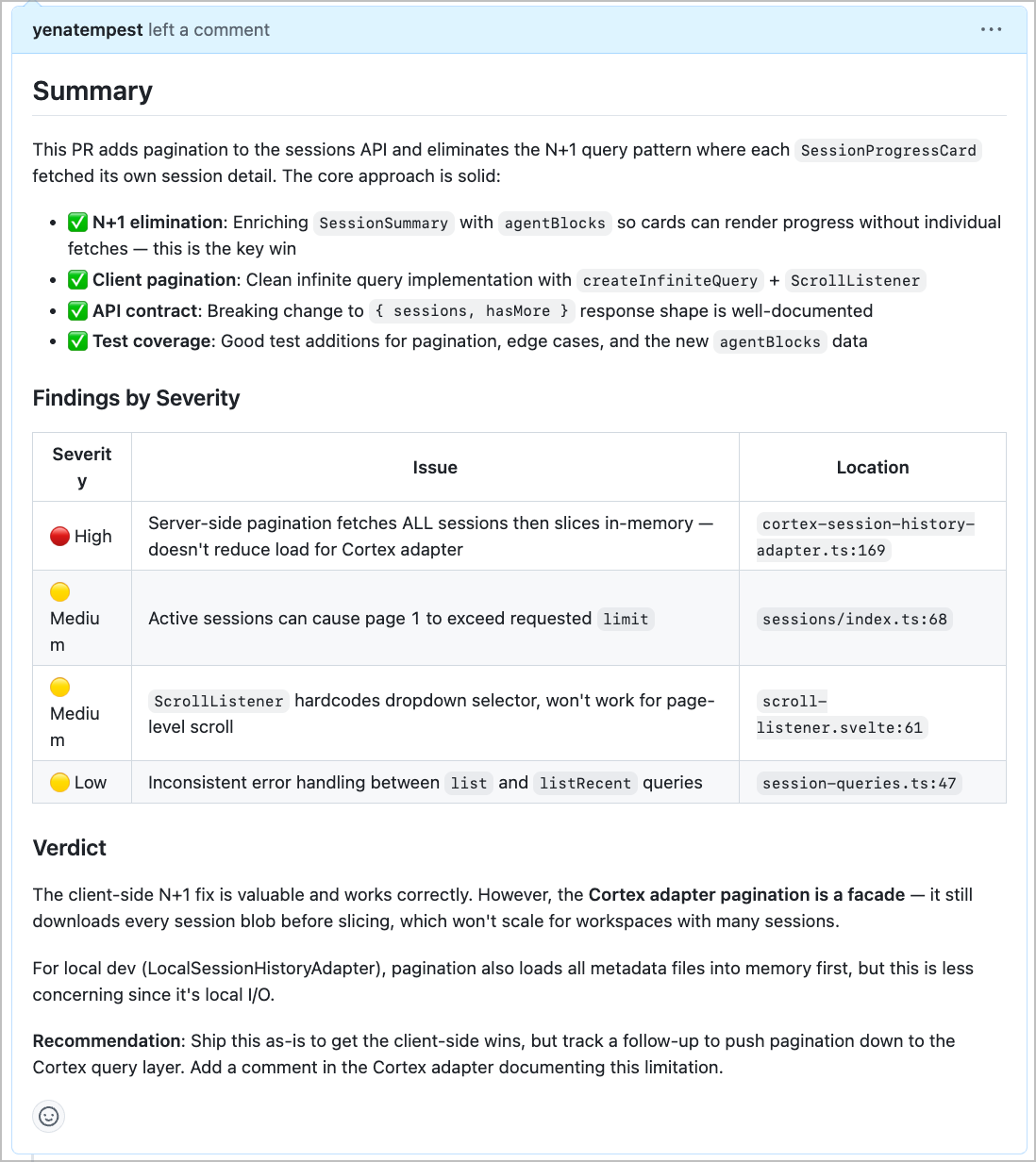
An on-demand pull request review workspace. Paste a GitHub PR URL in chat, and the reviewer fetches the code, analyzes it for bugs, security issues, and style problems, then posts an inline review directly on the PR.
When triggered, it:
- Reads the PR — fetches metadata: title, body, author, base/head branches, and changed files
- Reads each changed file — pulls the current file contents to understand full context, not just the diff
- Analyzes the changes for:
- Correctness and logic bugs
- Security issues (injection, auth, secret exposure)
- Performance concerns
- Code style and maintainability
- Missing tests or edge cases
- Posts an inline GitHub review — specific comments at the relevant file and line, plus a summary verdict (APPROVE / REQUEST_CHANGES / COMMENT)
Setup
1. Download Friday
- Go to hellofriday.ai and download the macOS installer
- Open the DMG and drag Friday to your Applications folder
- Launch Friday and complete the initial setup
2. Import the workspace
- Open Friday and go to Discover Spaces
- Find this workspace and click it
- Click Add Space
3. Connect GitHub
GitHub PR Reviewer uses the GitHub MCP server, which needs a personal access token to query your PRs and review requests.
Generate a token
- Go to github.com/settings/tokens
- Click Generate new token (classic)
- Give it a name (e.g.
friday-digest) - Select the following scopes:
repo— to read pull requests across your reposread:user— to resolve your GitHub username automatically
- Click Generate token and copy it — you won't see it again
Connect it in Friday
- Open the imported workspace and start a chat
- Friday will detect that GitHub needs credentials and surface a Connect GitHub prompt
- Paste your token when asked
- You're connected — no further setup needed
4. Run your first review
Once GitHub is connected, open the workspace, start a chat, and paste in any PR URL. The reviewer will fetch the code, analyze it, and post the review directly to the PR.
How it works
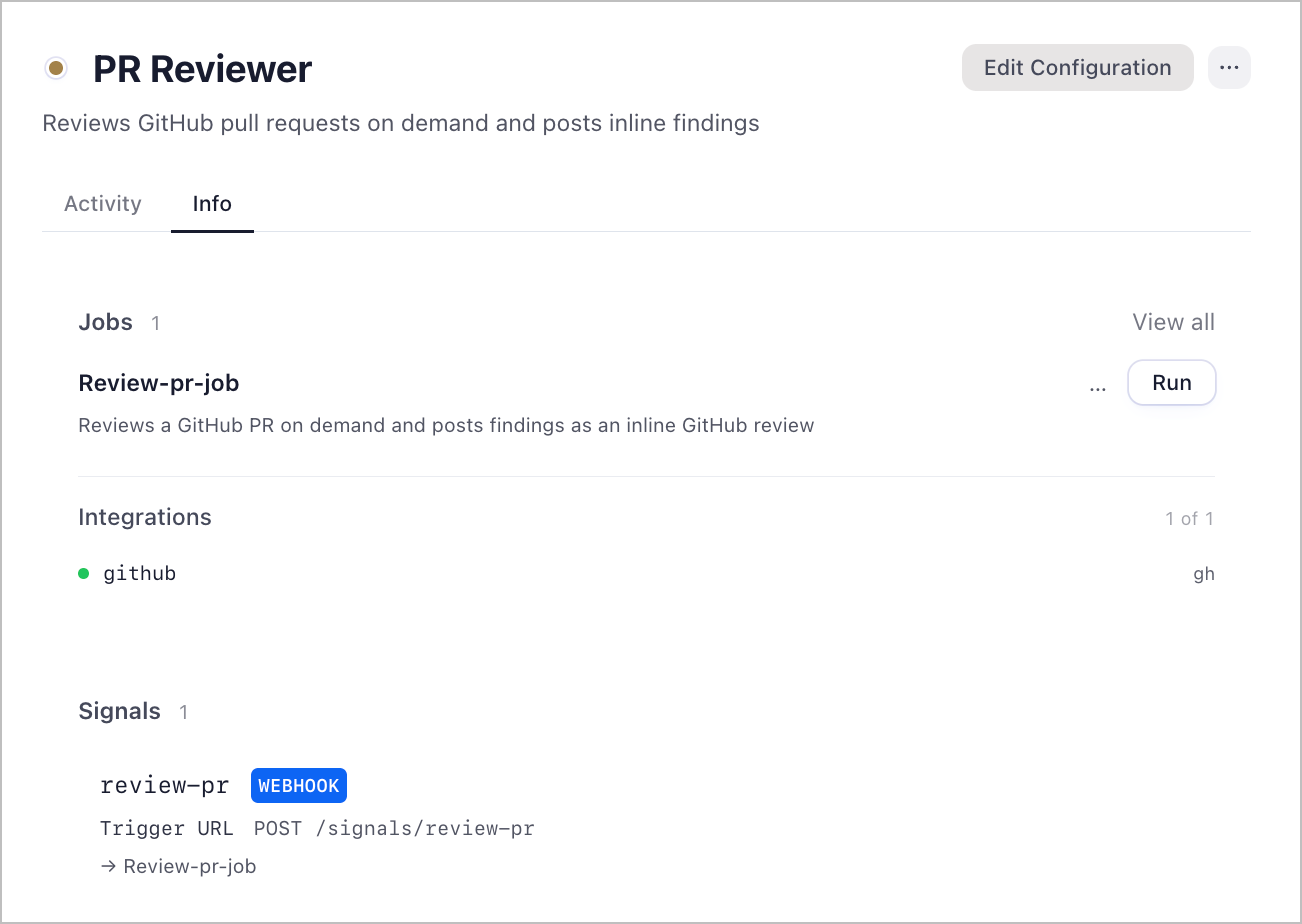
| Component | Role |
|---|---|
pr-reviewer agent |
LLM agent (Claude Opus 4.6) that reads the PR, analyzes changes, and posts the inline review |
review-pr-job job |
Single-state FSM that runs the pr-reviewer agent with the provided PR URL |
review-pr signal |
HTTP signal that accepts a pr_url and starts the review job |
github MCP server |
Provides PR read, file contents, review write, and comment tools |
The review-pr HTTP signal fires the review-pr-job FSM, which immediately runs the pr-reviewer agent. The agent calls the GitHub MCP tools in sequence: read PR → read files → create pending review → add inline comments → submit.
GitHub tools used
github/pull_request_read— fetches PR metadatagithub/list_commits— lists commits in the PRgithub/get_file_contents— reads current file contentsgithub/pull_request_review_write— creates and submits the reviewgithub/add_comment_to_pending_review— adds inline comments to the pending reviewgithub/add_issue_comment— posts general comments if neededgithub/search_code— searches the codebase for context when needed
