
Daily Operating Memo
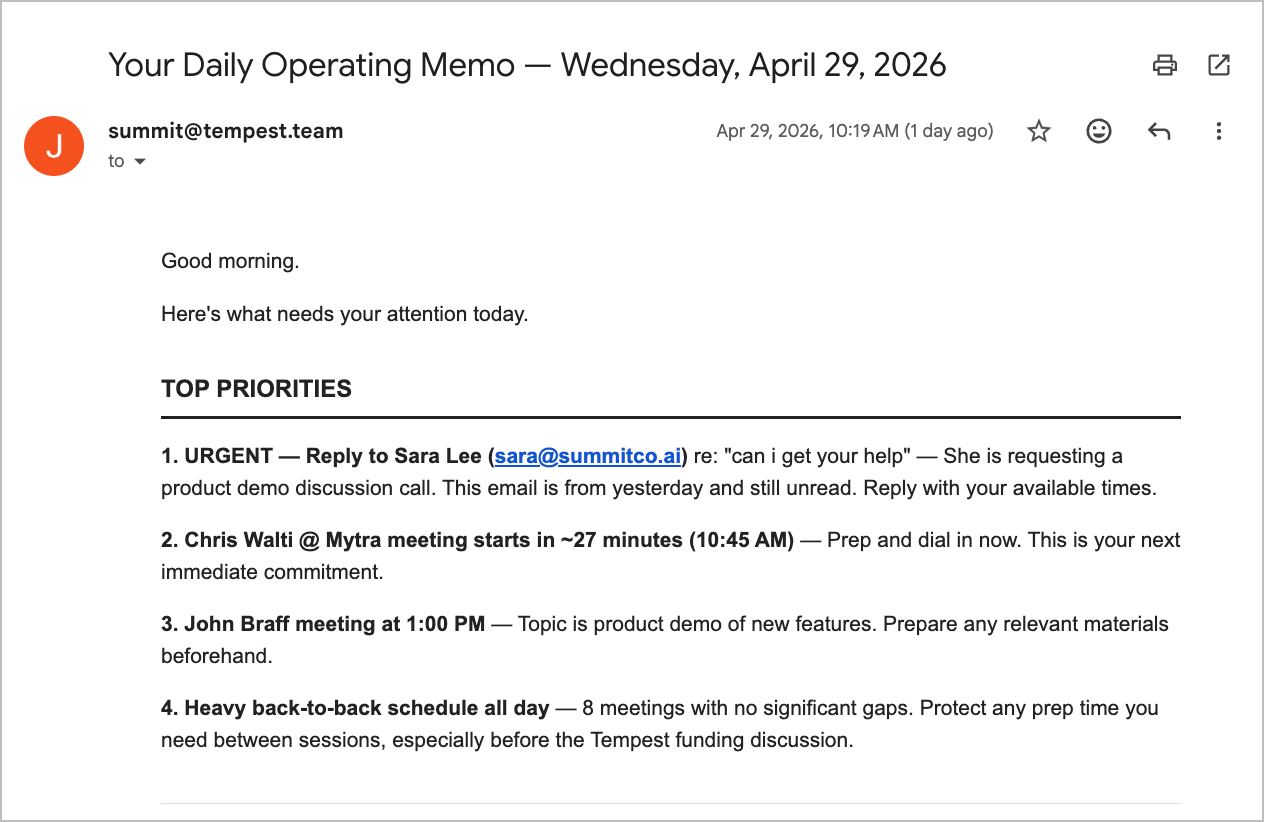
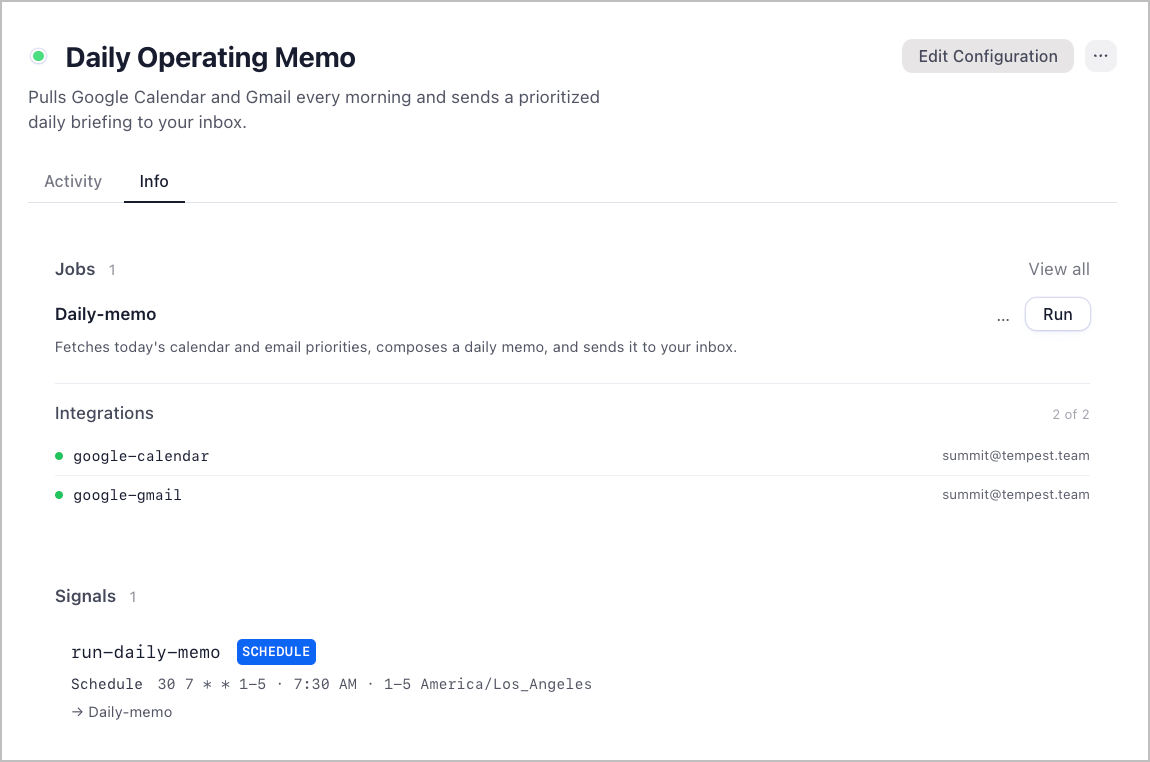
A morning briefing workspace. Every weekday at 7:30am Pacific, it pulls your Google Calendar and Gmail, synthesizes what actually needs your attention, and sends a prioritized memo to your inbox.
It checks two sources every morning:
- Google Calendar — all events for the full day, sorted chronologically, with ⚡ flags on anything starting within the next 2 hours
- Gmail — recent unread and important emails, triaged into what needs a reply today (🔴), what's worth knowing (🟡), and any deadlines or time-sensitive threads (⏰)
The memo-composer synthesizes those two blocks into a single email with a Top Priorities section at the top — specific actions, not vague reminders — and sends it to your inbox.
Setup
1. Download Friday
- Go to hellofriday.ai and download the macOS installer
- Open the DMG and drag Friday to your Applications folder
- Launch Friday and complete the initial setup
2. Import the workspace
- Open Friday and go to Discover Spaces
- Find this workspace and click it
- Click Add Space
3. Connect Google Calendar and Gmail
- Go to MCP Catalog
- Go to Gmail
- Under Credentials, click Add one
- Connect your account (the memo is sent from and to this account)
- Repeat this for Google Calendar
4. Set your recipient email
- Go to Agents > memo-composer
- In the agent prompt, find:
[ADD EMAIL RECIPIENT HERE](appears twice) - Replace both instances with your email address
Once both steps are done, the schedule will fire automatically on the next weekday at 7:30am Pacific.
How it works
| Component | Role |
|---|---|
calendar-fetcher agent |
LLM agent (Claude Haiku) that fetches today's full calendar window in local timezone |
gmail-fetcher agent |
LLM agent (Claude Haiku) that scans for unread and important emails from the last 1–2 days |
memo-composer agent |
LLM agent (Claude Sonnet) that synthesizes both blocks and sends the final email |
daily-memo job |
Three-state FSM: fetch calendar → fetch email → compose and send |
run-daily-memo signal |
Schedule signal firing at 30 7 * * 1-5 (7:30am Pacific, weekdays only) |
google-calendar MCP server |
Provides list_calendars and get_events tools |
google-gmail MCP server |
Provides search_gmail_messages, get_gmail_messages_content_batch, and send_gmail_message tools |
The schedule fires the run-daily-memo signal, which starts the daily-memo FSM. The FSM runs the three agents in sequence: calendar first, then email, then the composer which sends the final memo and returns a one-line confirmation.
