
Competitive Monitor
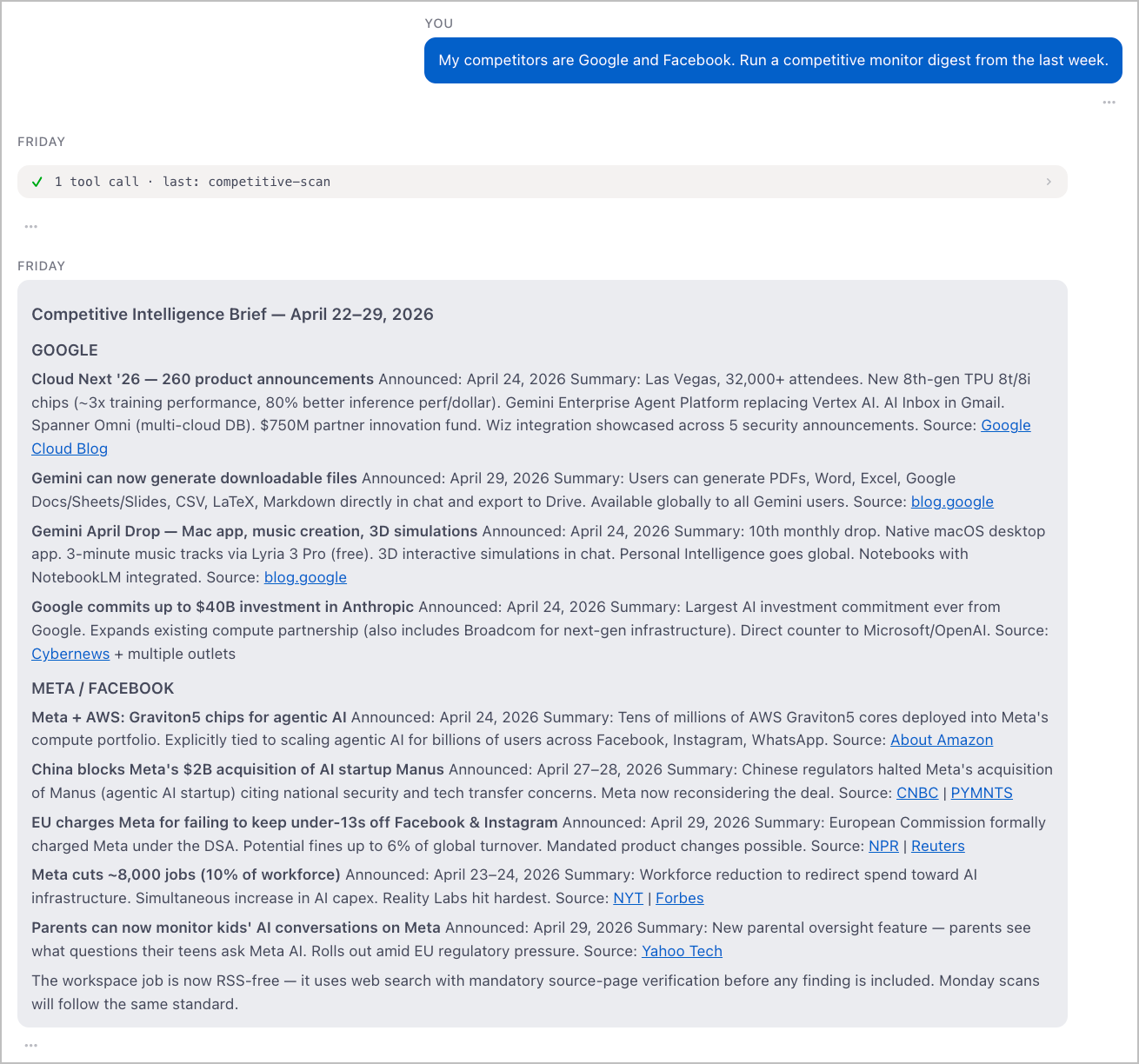
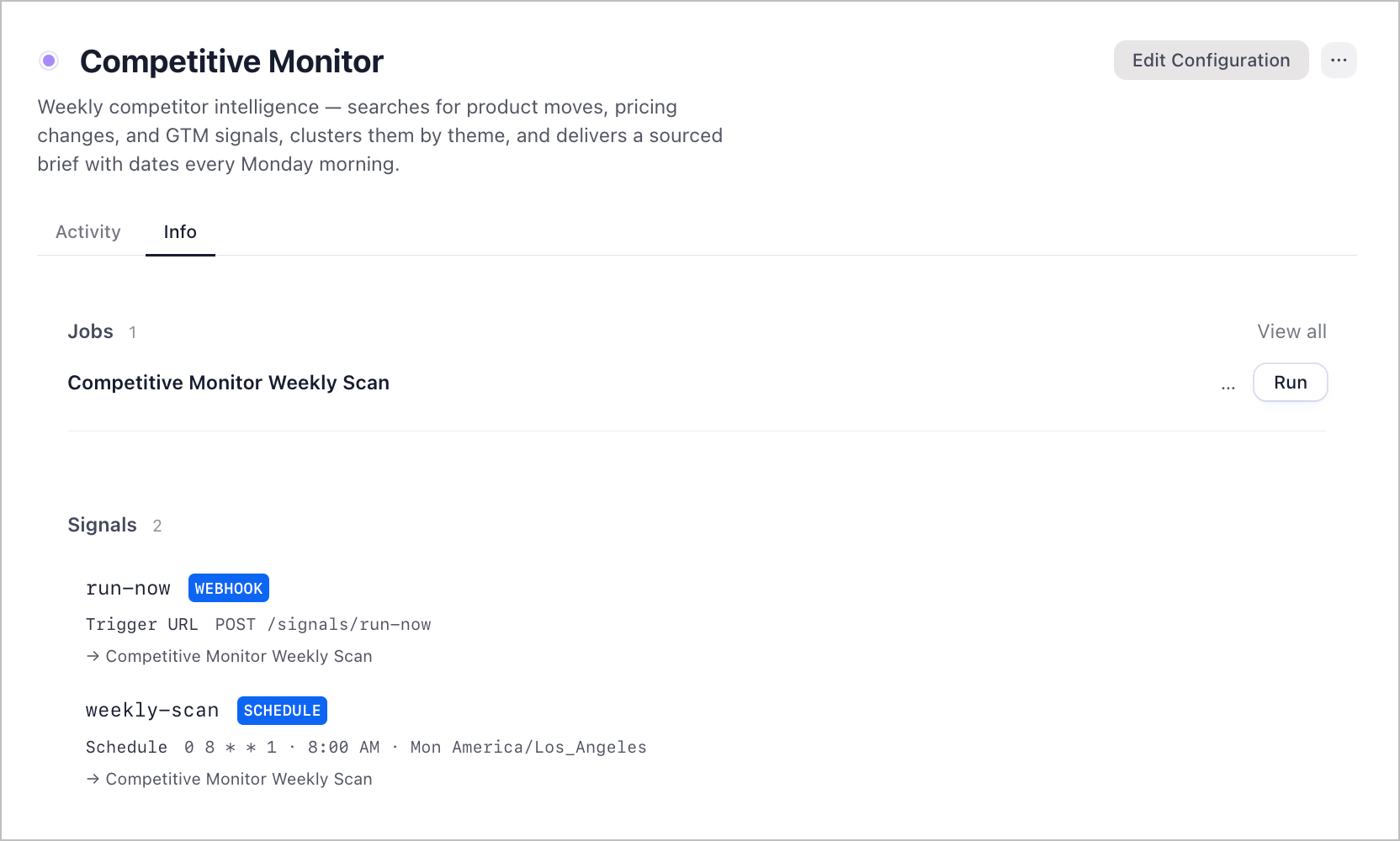
A weekly competitor intelligence workspace. Every Monday at 8:00am Pacific, it searches the web for recent product moves, pricing changes, and GTM signals from your tracked competitors, clusters findings by theme, and delivers a sourced brief with verified dates.
It covers five categories across the prior 7 days:
- Product — new features, launches, deprecations
- Pricing — plan changes, discounts, packaging shifts
- GTM — campaigns, positioning changes, new messaging
- Partnerships — integrations, co-marketing, ecosystem moves
- Leadership — executive hires, departures, org changes
Every finding includes what happened, an exact confirmed date, and a direct link to the source article. Findings without a verified date and article URL are dropped — no fabricated dates, no homepage links.
Setup
1. Download Friday
- Go to hellofriday.ai and download the macOS installer
- Open the DMG and drag Friday to your Applications folder
- Launch Friday and complete the initial setup
2. Import the workspace
- Open Friday and go to Discover Spaces
- Find this workspace and click it
- Click Add Space
3. Update your competitor list
The default scan targets Google and Facebook. To change this:
- Go to Jobs → Competitive Monitor Weekly Scan
- In the
researchstate agent prompt, update the competitors line:Run a competitive intelligence scan ... on these competitors: Google, Facebook. - Replace with your actual competitors
You can also override competitors on a per-run basis using the run-now signal's competitors input field without changing the job config.
How it works
| Component | Role |
|---|---|
competitive-analyst agent |
Atlas web agent that searches the web, visits source pages to verify dates and URLs, and produces a clustered intelligence brief |
competitive-scan job |
Three-state FSM: idle → research → done |
run-now signal |
HTTP signal — trigger on demand with optional competitors, focus_areas, and lookback_days inputs |
weekly-scan signal |
Schedule signal firing at 0 8 * * 1 (8:00am Pacific, Mondays only) |
Either signal starts the competitive-scan FSM. The FSM transitions from idle to research, runs the competitive-analyst agent, emits an ADVANCE event, and moves to done. The output is stored as a scan-report artifact in the session.
