Define it, don't build it
Describe what you need in plain language. Friday configures the workflow, sets the triggers, and chains the steps. No orchestration code. No setup hell. Just a system that runs.

Memory, tools, scheduling, and orchestration, all driven by conversation. Every workflow is transparent config you can read, version, and share.
Everything a production agent needs is already here. You bring the task.
Describe what you need in plain language. Friday configures the workflow, sets the triggers, and chains the steps. No orchestration code. No setup hell. Just a system that runs.
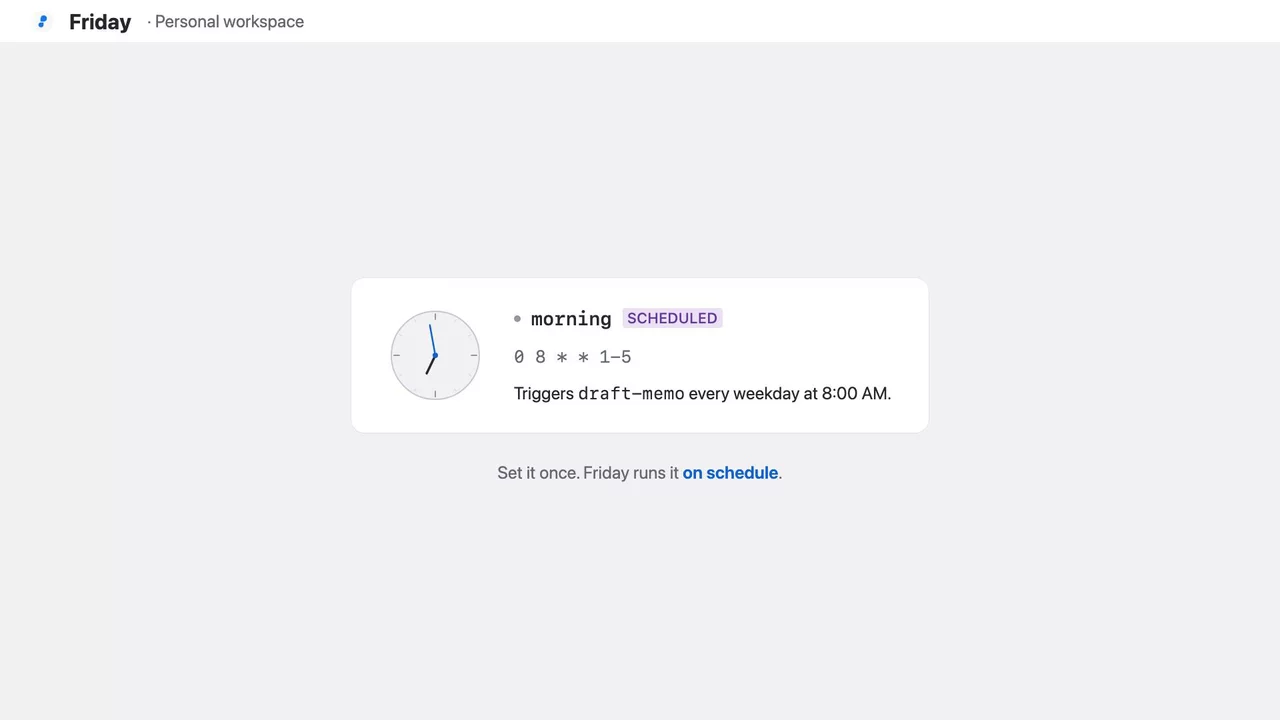
Trigger a workflow from chat or let it run on schedule. Friday doesn't need you present to get things done. It runs at 8am, delivers the result, and does it again tomorrow.
Every step is visible. Every input, output, and timing logged. When something goes wrong you know exactly where and why. Fully transparent, every time.
Friday runs on your machine. Your data stays local, your workflows stay private, your control stays total.
Trigger and manage workflows from Slack, Discord, Telegram, WhatsApp, or Teams. Friday shows up where your team already works. No new app to open.
Friday remembers context across every run: preferences, outcomes, patterns. It gets sharper over time. Stored locally, fully readable, always yours.
Connect your apps, tools, scripts, and MCP servers. Friday orchestrates across all of them in a single workflow. Not one tool at a time. Everything, working together.
Spin up specialized agents — planner, executor, reviewer — and Friday orchestrates across them. Define the roles. The runtime handles the rest.
Describe what you want and Friday builds the workflow: the agents, the tools, the schedule. Change your mind, say so. The config is always there if you want it, but you never have to touch it.
Browse what we've built, import any space, and have it running today.
A pixel art asset creation pipeline. Trigger it with a text description to generate game-ready sprites and animated GIFs — fully transparent background, exact pixel dimensions, and no manual cleanup.
Two workflows:
Both workflows save directly to ~/game_assets by default.

The pipeline uses ImageMagick to convert and resize images and Pillow for spritesheet processing. Both must be available in your PATH.
ImageMagick
brew install imagemagick
Pillow (installed automatically by the Friday SDK Python environment — no manual action needed)
No API keys, no external services, no email address to configure. The workspace runs entirely locally.

| Component | Role |
|---|---|
create-pixel-asset signal |
HTTP trigger at /create-pixel-asset accepting description, size, style |
create-pixel-asset-job |
Five-state FSM: idle → generate → save → remove background → resize → done |
pixel-asset-generator |
Atlas image-generation agent; produces a neon-green-background PNG at requested canvas size |
file-saver |
Python user agent; fetches the artifact from the Friday API and writes it to disk |
background-remover |
LLM agent (Claude Haiku); runs two-pass ImageMagick chroma key to remove neon green and make the sprite transparent |
image-resizer |
LLM agent (Claude Haiku); runs ImageMagick nearest-neighbour resize to exact target dimensions |

| Component | Role |
|---|---|
create-animation-frames signal |
HTTP trigger at /create-animation-frames |
create-animation-frames-job |
Eight-state FSM with a retry loop: idle → generate spritesheet → save → normalize → check → route → assemble GIF → resize → done |
animation-frame-generator |
Atlas image-generation agent; produces a horizontal spritesheet with all frames side by side |
file-saver |
Python user agent; saves the raw spritesheet PNG to disk |
spritesheet-normalizer |
Python user agent; detects background color from corners, slices frames to exact dimensions using NEAREST resampling, and returns regenerate: true if the canvas is malformed |
check-normalize-result |
Inline LLM step (Claude Haiku); reads normalizer output and emits REGENERATE or OK |
route-after-normalize |
Inline LLM step (Claude Haiku); routes the FSM to retry generation or proceed to assembly |
gif-assembler |
LLM agent (Claude Opus); runs a Python/Pillow script to slice frames and produce the final looping GIF |
image-resizer |
LLM agent (Claude Haiku); final nearest-neighbour resize |
filesystem MCP server |
Provides the bash tool used by gif-assembler, image-resizer, and background-remover |
The animation job includes a regeneration loop: if the spritesheet normalizer cannot parse frame boundaries (canvas dimensions wrong and no clean column separators detected), it sets regenerate: true and the FSM routes back to generate-frames to try again.
